How we evaluated the options
This comparison uses five jobs that commonly show up in professional networking:
1. Reach the person · 2. Understand who they are professionally · 3. Preserve private relationship context · 4. Maintain the relationship over time · 5. Manage a formal business opportunity.
That matters because these tools overlap. There is no honest universal winner. The right choice depends on what you need the system to remember and what you need it to help you do.
The comparison in one view
| Need | Contacts | Personal CRM | Sales CRM | |
|---|---|---|---|---|
| Phone, email, basic details | Excellent | Limited | Usually good | Good |
| Current professional identity | Manual | Excellent | Varies | Varies |
| Private notes / relationship context | Basic | Not the core purpose | Strong | Good for business activity |
| Reconnect reminders | Limited | Not the core purpose | Strong | Strong for active accounts |
| Formal pipeline and forecasting | No | No | Varies | Excellent |
The table is intentionally broad. Products within each category differ. Some personal CRMs now offer pipelines, enrichment and advanced search. Some sales CRMs are highly customisable. The useful comparison is the job each category is primarily built to do.
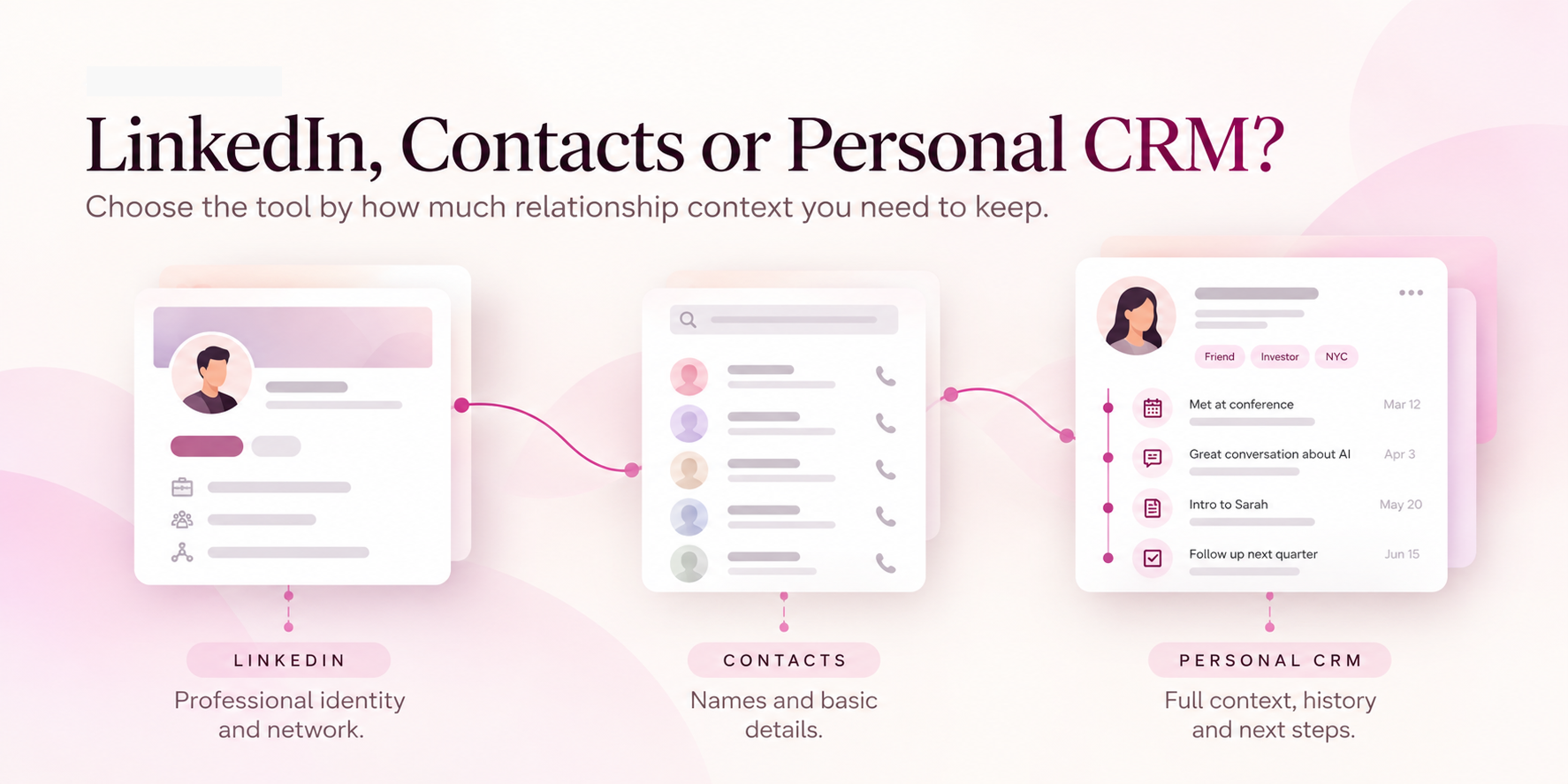
Use Contacts when the job is simple communication.
If the main question is “How do I call or email this person?”, a contact app may already be enough. Google Contacts, for example, supports contact details, labels and duplicate management.
This is an underrated advantage: contact apps are low maintenance. You do not need a sophisticated relationship system for every person in your life.
Best fit: low-maintenance identity and communication storage.
Use LinkedIn for professional identity, discovery and connection.
LinkedIn is strongest when you need to understand who someone is professionally: their role, company, career path, public activity and professional network. The profile can also stay current because the person maintains it themselves.
This makes LinkedIn especially useful before and after introductions. You can understand a person's background, find shared connections and keep up with changes in their professional identity.
But public identity is different from private relationship context. LinkedIn may know what someone does. It does not necessarily know what happened when you met them.
Best fit: public professional identity and discovery.
Use a personal CRM when the relationship itself needs managing.
Personal CRM is a loose category rather than a fixed specification. Tools vary, but many focus on private notes, reminders, interaction history and relationship organisation. Dex is a clear example of this positioning; folk overlaps more heavily with broader CRM workflows.
The category becomes useful when relationships themselves create professional value. Founders, recruiters, investors, consultants and business-development professionals often have more people worth maintaining than they can realistically track from memory alone.
Best fit: people who need to maintain many professional relationships over time.
Use sales CRM when the relationship becomes a formal opportunity.
Once there is a defined account, owner, stage, commercial next step and reporting need, a sales CRM becomes the stronger system. That is a different job from remembering an introduction.
A sales CRM is also where forecasting, deal value, pipeline reporting and team accountability become much more important. If those are your primary needs, a personal relationship tool should not replace that structure.
The categories overlap more than the labels suggest.
This is where simplistic comparison articles often become misleading. Contacts can store notes. LinkedIn supports messaging and connection history. Personal CRMs can support search, reminders and sometimes pipelines. Sales CRMs can be customised to store broader relationship information.
So the real question is not “Which app can technically store this field?” It is “Which system makes this job easy enough that I will actually use it consistently?”
Where Allbuddy fits
Allbuddy is designed around the moment professional relationships begin. You can capture a person from a business card or profile QR, preserve a short text or voice update about what happened, organise that relationship by event or context, and return to it later.
That makes Allbuddy most relevant when your recurring question is not only “Who is this?” but “What happened when we met, and how do I continue from there?”
Allbuddy therefore overlaps with parts of contact management and personal CRM, but its strongest use case starts at the real-world interaction itself.
A practical decision rule
| If your main need is... | Start with... |
|---|---|
| Names, numbers and email | Contacts |
| Professional discovery and public identity | |
| Long-term reminders and private relationship notes | Personal CRM |
| Formal opportunity and pipeline management | Sales CRM |
| Remembering real-world professional interactions | Allbuddy / a professional-memory workflow |
You may need more than one. In many cases, the best setup is a stack with clear roles rather than a single tool forced to do everything.
Before adding another tool, ask five questions.
What am I currently forgetting? Identity, context, timing, follow-up or relationship history?
When does the information become useful? Immediately, next meeting, months later or only after an opportunity exists?
Do I need information about the person or about our relationship? Those are different things.
Is this already part of a formal business process? If yes, the CRM may already be the right home.
Will another system save more effort than it creates? A tool only helps if it is easier than the workaround.